
Screenshots
About this app
A Mac workday is a context switch every hour — a call, a focus block, docking at the desk, undocking to leave. Every switch costs the same manual minute: reopen, drag, resize, hide. The tools in this space make that minute faster — but they all wait to be asked.
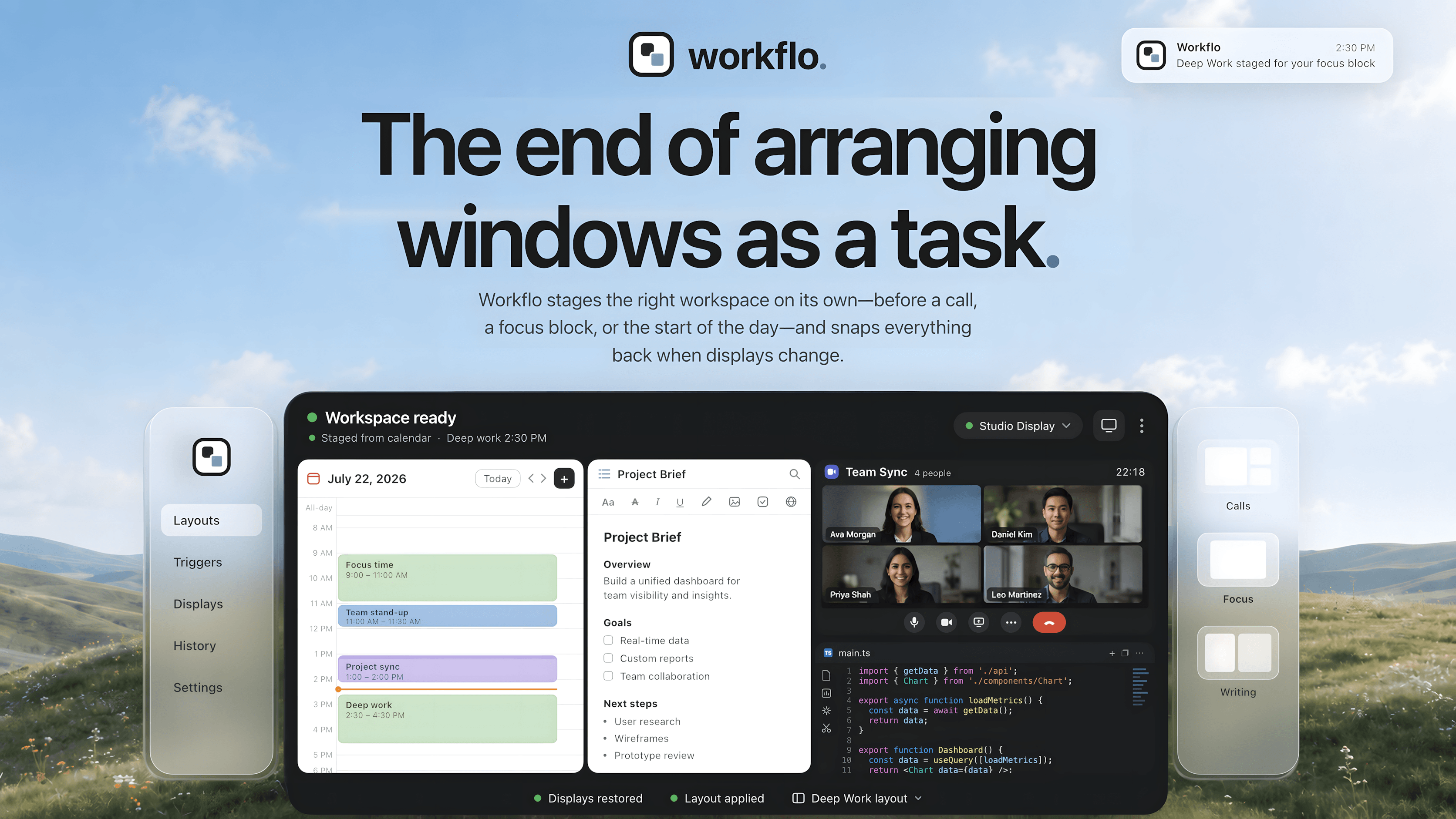
Workflo isn't a faster way to arrange windows; it's the end of arranging them as a task. It learns your layout for every display setup on its own, and stages Scenes from your calendar or the clock without being asked — the workspace is set before the moment arrives. And when your displays change, everything snaps back into place.
**Scenes + Triggers** — save a layout as a Scene, attach a Trigger, and it applies on its own: the call setup before the meeting starts, the writing layout at 9 a.m.
**Desks** — Workflo learns each display setup separately. Dock or undock; everything snaps back.
**Stash** — one hotkey clears the screen for a share, one brings it all back.
**Scene Studio** — design layouts without touching your live windows.
Details
| Attribute | Value |
|---|---|
| Category | Productivity |
| Website | getworkflo.app |
| Pricing | paid |
| Author | Chirag Chopra |
| Added | 2026-07-22 |
| Last updated | 2026-10-22 |
More in productivity
Browse all Mac apps
Abejas
Productivity
Your professional network. This time, it’s personal.

Atlas
PickProductivity
Native, local, and blazing fast inspiration library for macOS

Aureon
Productivity
Say what you need. Aureon routes it to your Mac apps.

AutoShelf
Productivity
A macOS app that watches your folders and moves files where they belong. Set a rule once and never think about it again.